
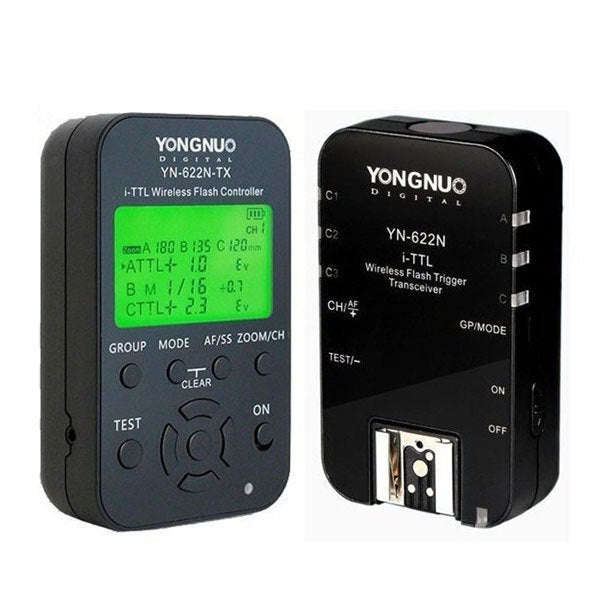
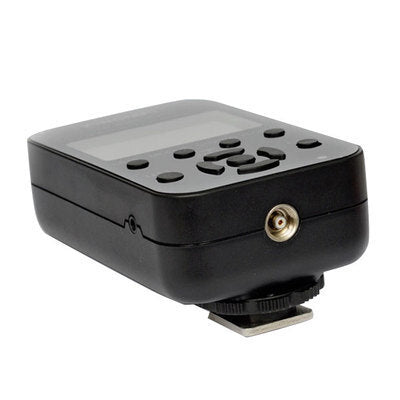
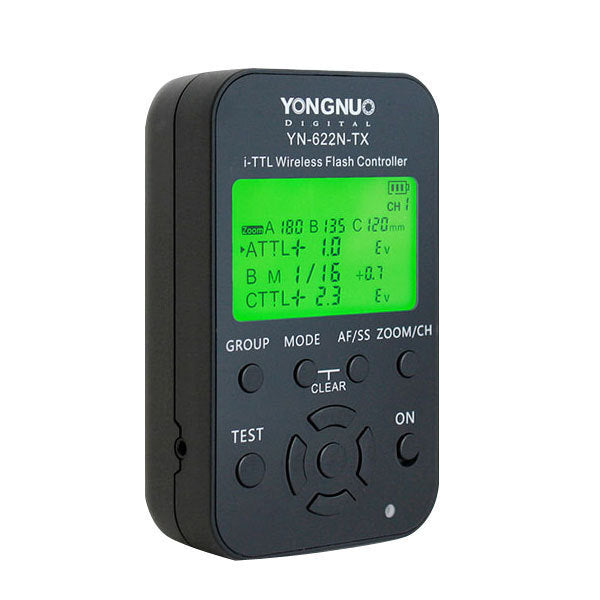

YONGNUO SPEED LIGHT FLASH YN-622N-TX WIRELESS I-TTL FLASH TRANSCEIVER TRIGGER KIT FOR NIKON
PRODUCT DESCRIPTION
| YN-622N-TX i-TTL wireless flash controller |
| YN-622N-TX i-TTL wireless flash controller is for supporting the use of YN-622N i-TTL wireless flash trigger transceiver. This product adopts flexible LCD menu control, supporting mixed use of the A/B/C three groups of flashes using i-TTL, manua, or super sync flash mode, can be adjusted the exposure compensation or flash output of each group. In addition, it supports setting different focal length(zoom)of the three groups of flash, the remote-controlled distance can reach 100M, supporting seven wireless channels and A/B/C three groups, and equipped with the AF-assist beam emitter. Support USB firmware upgrade. LCD screen display, multi-buttons quick operation The firmware can be upgraded through the USB interface Support wireless shutter release function The focal length(zoom)of the A/B/C three groups of flash can be adjusted separately Equipped with the AF focus assist light (can be disabled) Grouping flash mode: i-TTL/Manual flash/Super sync Supporting mixed use of the A/B/C three groups of flashes with i-TTL, Manual flash, or Super sync flash mode The exposure compensation or flash output of A/B/C three groups of flashes can be adjusted separately Shutter Sync: first curtain sync, second curtain sync and FP high-speed sync, the highest sync speed is 1/8000s Support exposure compensation, flash value lock function(FVL) Support simulate (modeling) flash, red-eye reduction flash Support the flash zooming (auto) Super Sync (SS) time delay adjustment, for higher x-sync speed than the camera allows Settings saved automatically The flash sync signal can be input through the PC port Support the basic flash trigger (max sync speed is 1/250s) of standard hot shoe (non Nikon body) *The above functions need to be used with the YN-622N transceiver. manual: Driver & Software: Firmware v1.05 Fimrware upgrade instructions: 1. When you prepare to upgrade YN-622N-TX first time, please download the driver and software package YN_Trigger_Updater.zip, uncompress it and run YN_Trigger_Updater_Setup.exe to install the driver/software. 2. Download the most update firmware package and unzip it. 3. Turn off YN-622N-TX, keep pressing mode button and turn on it again. The screen will show firmware upgrade interface . Connect the device to your PC via a USB cable. 4. Run YN_Trigger_Updater from start menu. Click on "Browse..." Button and navigate to the firmware you download in step 2. Wait a few seconds until the device is detected. Click on "Update" to begin. When is done, YN-622N-TX will be reset automatically and you can use the new version now. 5. If any error is encountered when updating, please turn off and try again from step 3. |
Couldn't load pickup availability
Pickup currently unavailable at Shop Front
Pairs well with
In stock! Ships within 1-2 business days.
90-day risk-free trial
2-Year Warranty
Complimentary shipping & returns
If you have any questions, you are always welcome to contact us. We'll get back to you as soon as possible, within 24 hours on weekdays.
-
Shipping Information
Use this text to answer questions in as much detail as possible for your customers.
-
Customer Support
Use this text to answer questions in as much detail as possible for your customers.
-
FAQ’s
Use this text to answer questions in as much detail as possible for your customers.
-
Contact Us
Use this text to answer questions in as much detail as possible for your customers.
Video slide 1
Video slide 2
Video slide 3
Video slide 4
Collage
Share information about your brand with your customers. Describe a product, share announcements, or welcome customers to your store.
Image with text
Share information about your brand with your customers. Describe a product, share announcements, or welcome customers to your store.
Free shipping and returns
Image with text
Share information about your brand with your customers. Describe a product, share announcements, or welcome customers to your store.
Product details
Collapsible row 1
Use this text to share information about your brand with your customers. Describe a product, share announcements, or welcome customers to your store.
Collapsible row 2
Use this text to share information about your brand with your customers. Describe a product, share announcements, or welcome customers to your store.
Collapsible row 3
Use this text to share information about your brand with your customers. Describe a product, share announcements, or welcome customers to your store.
Collapsible row 4
Use this text to share information about your brand with your customers. Describe a product, share announcements, or welcome customers to your store.
FAQs
Please read our FAQs page to find out more.
Frequently asked question
Use this text to answer questions in as much detail as possible for your customers.
Frequently asked question
Use this text to answer questions in as much detail as possible for your customers.
Frequently asked question
Use this text to answer questions in as much detail as possible for your customers.
Frequently asked question
Use this text to answer questions in as much detail as possible for your customers.
Frequently asked question
Use this text to answer questions in as much detail as possible for your customers.